
How to See Who Someone Recently Followed on Instagram, and What the Order Means
The short version
- There is no button for how to see who someone recently followed on Instagram. The date sort exists only on your own Following list.
- The top of someone's following list is not a timeline. Instagram does not publish how it orders another person's list, and two people can see it in different orders.
- What you can see: her full Following list if she is public or you are an approved follower, the accounts you both know, and when the two of you followed each other.
- Apps that promise her recent follows either compare snapshots over time or want your login. Instagram's own help pages tell you not to hand it over.
- One new follow says very little. The whole list says who she is, and that is the more useful thing to know.
In This Post
- How to see who someone recently followed on Instagram
- Instagram following order: what the list is actually sorted by
- What most people get wrong about the top of someone's following list
- Why Instagram stopped showing who people follow
- How to see someone's recent following, step by step
- Every method, compared
- What one new follow actually tells you
- Where curiosity turns into checking
- Apps that promise to show who someone recently followed
- Watch-outs
- Your move
- FAQ: seeing who someone recently followed on Instagram
How to see who someone recently followed on Instagram
The honest answer first. Instagram has no screen that shows you who another person followed most recently, in order, with dates. It has not had one since 2019.
What it does give you is smaller:
- Open her profile and tap Following. That is the full list of accounts she follows. On a public account anyone on Instagram and Threads can see it. On a private one, only her approved followers can.
- Use the search bar at the top of that list. If you want to know whether she follows one particular account, type its name. That answers a yes or no question instantly, which is usually the question people actually have.
- Know that the sort button you have on your own list does not exist on hers. Your own Following list can be sorted by date followed. Hers cannot, from your phone.
That third point is where most of the confusion comes from, so it gets its own section.
Instagram following order: what the list is actually sorted by
On your own profile, tap Following and you will find a sort control. Instagram added it in February 2020, alongside two categories called Least Interacted With and Most Shown in Feed, and the sort lets you order accounts by when you started following them. The options read Date Followed: Latest and Date Followed: Earliest, plus the default.
So if the question is "who did I follow last week", you are done. Tap Latest.
On someone else's profile there is no such option. Every report of the feature, from launch onward, describes it on your own Following list. Instagram has never announced a date sort for anybody else's, and it does not publish how it orders the list you see when you open hers.
That leaves the default order, and the default order is what people misread.
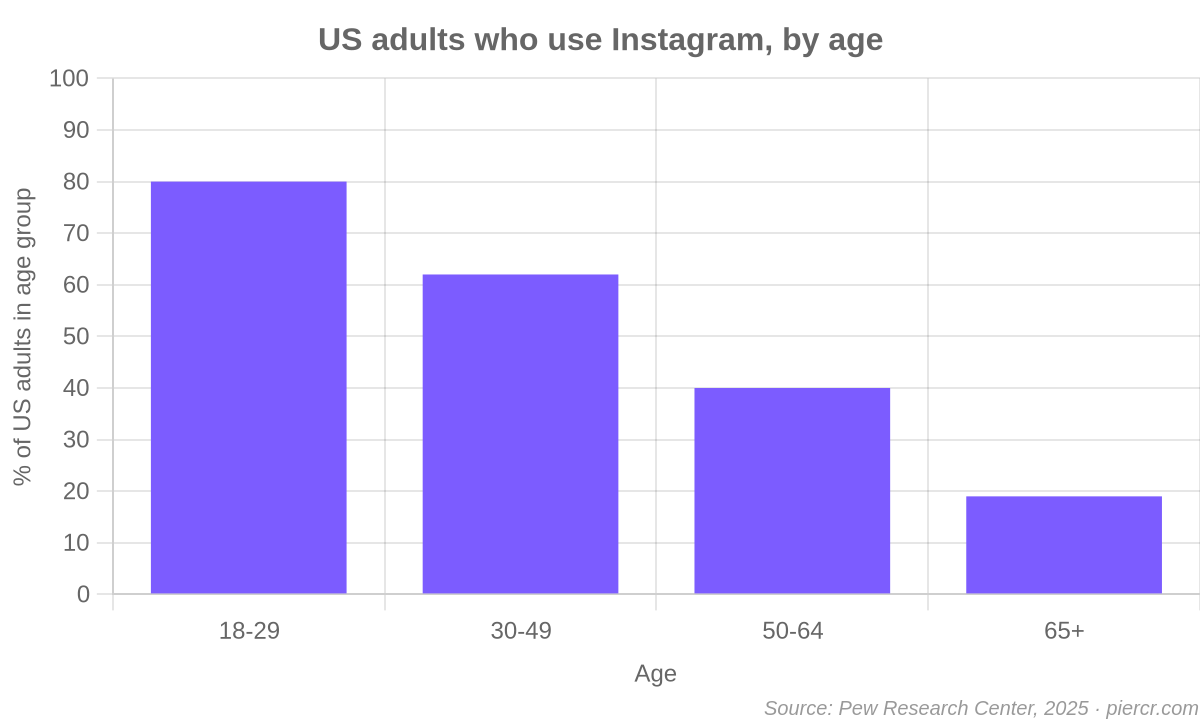
You are asking this about a big list on a big app. Instagram passed 3 billion monthly users in September 2025, and Pew found 80% of US adults aged 18 to 29 use it. The person you are curious about probably follows more accounts than you will ever read top to bottom, which is why everybody stares at the first ten rows.
What most people get wrong about the top of someone's following list
The popular belief goes like this: the accounts at the top of her Following list are the ones she followed most recently. Plenty of articles state it as fact. It is a guess.
The trouble is that the list you see is not necessarily the list she sees, or the list her friend sees. The most common explanation is that the default order on someone else's profile is personalised to whoever is looking, with accounts you already know or interact with rising toward the top. Instagram has not confirmed any of it. What it has not done either is promise a chronological order, and a chronological order would look the same on every phone.
You can test that yourself in about a minute. Pick a public account you both know, open its Following list on your phone and on a friend's, and compare the first ten rows. If they differ, the top of the list is not a timeline.
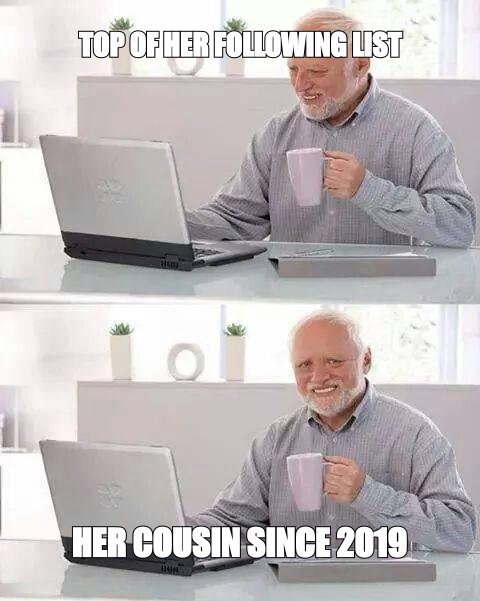
Picture the usual way this goes wrong. You open her list, see an account you do not recognise sitting in the top three, and spend the evening deciding it is a guy she met last weekend. In reality it might be her cousin, followed four years ago, sitting high on your screen because Instagram thinks you might know him.
There is a second, smaller mistake: confusing her list with yours. The "Date Followed: Latest" option you found on your own profile convinces people the same data must be visible on hers if they just find the right menu. It is not hiding behind a menu. It is not offered.
Why Instagram stopped showing who people follow
There used to be a way, which is why people still go looking for it.
Until October 2019 the heart icon had a Following tab that showed the likes, comments and follows of everyone you followed, in one rolling feed. If she followed someone new, the people who followed her could see it there. Instagram removed it.
Vishal Shah, Instagram's head of product at the time, explained the reasoning to BuzzFeed News:
People didn't always know that their activity is surfacing. So you have a case where it's not serving the use case you built it for, but it's also causing people to be surprised when their activity is showing up.
Read that as a design decision, not an oversight. Instagram looked at a feature that broadcast who people followed and decided people should not be surprised by it. Every workaround you find today is trying to rebuild something the platform took out on purpose.
That cap is the ceiling on what you might be scrolling. Most real lists are far shorter, but even a few hundred accounts is more than you will read with any care on a phone.
How to see someone's recent following, step by step
Here is what actually works, from most useful to least, with the catch on each.
Search her list for the account you are wondering about
If you have a specific account in mind, this is the whole job. Open her Following list, type the name in the search bar, and you have your answer. It tells you whether she follows it now. It does not tell you when she started.
Look at who you both know
On any profile you open, Instagram shows a "Followed by" line naming accounts you follow that also follow it. If you land on a new account and see her name in that line, you know she follows it. That is the app showing you the overlap between your circle and hers, nothing more.
Use Shared activity for the two of you
This is Instagram's own feature and almost nobody uses it. On the profile of someone you follow or who follows you, the menu has See shared activity. Instagram says it shows when you followed each other, along with the likes, comments and tags between you. It is mobile only and covers only your two accounts.
So you cannot use it to see who she followed. You can use it to see exactly when she followed you, which is often the date people were really after.
Compare her list against what you saw before
This is the only way to see a change in someone else's list. If you looked at her Following list once before and remember roughly what was there, anything new is new. That is all the paid "recent follows" tools are doing too: taking snapshots and diffing them.
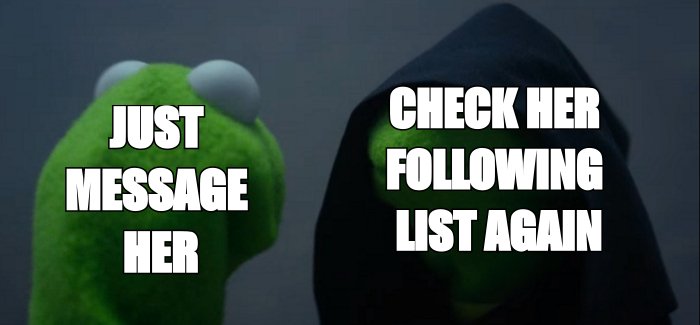
It works, and it is also where this stops being curiosity. Checking once because you are about to message her is normal. Checking every few days to see what changed is monitoring, and it will not make you feel better.
Sort your own list, if the question is about you
If what you actually want is "who have I followed lately" or "when did I follow her", your own Following list sorts by Date Followed: Latest. It takes two taps.
Every method, compared
| Method | Shows her recent follows? | The catch |
|---|---|---|
| Scroll her Following list | No | Shows who she follows now, in an order Instagram does not explain |
| Trust the top of her list | No | Not confirmed as chronological, and can differ from phone to phone |
| Search her list for one name | Partly | Yes or no for one account. No date |
| Followed by line on a profile | Partly | Only for accounts you happen to open, and only overlap with your circle |
| Shared activity | Only for you | Shows when the two of you followed each other. Nothing else |
| Sort by Date Followed | Only your list | Not offered on anyone else's profile |
| Compare against an earlier look | Yes, roughly | Requires you to have looked before, and repeated checking is monitoring |
| Third-party tracker apps | Claimed | Snapshot diffs at best. Many want your Instagram login |
Add it up and the answer to "how do I see who she recently followed" is mostly no, with a couple of narrow yeses. The better question is what the list says about her as a whole, and that one has a real answer.
That is the job Piercr does. Type her Instagram username and you get a plain-language read on what she is actually into, drawn from what is already visible on her public profile. You still write the message. It just stops being a guess.
What one new follow actually tells you
Less than it feels like. People follow accounts because a friend shared a reel, because a café posted a giveaway, because an old classmate followed them first and they followed back out of politeness. A single follow is a tap.
Candace Cameron Bure, the actress, had fans telling her they were disappointed by who she followed. She answered them in her Instagram Stories:
A follow does not mean I agree with everything they say and do.
That is true for her and it is true for the person whose list you are reading. One new account in her Following tells you she tapped a button. Thirty accounts about climbing, two local bouldering gyms and a physio who specialises in finger injuries tell you who she is.
If you want to read the list that way, the Instagram following tracker is built for exactly that, and what her Instagram says about her covers how to read the rest of a profile without over-reading it. Her bio is usually the weaker half: we found 44% of Instagram bios say the same two things.
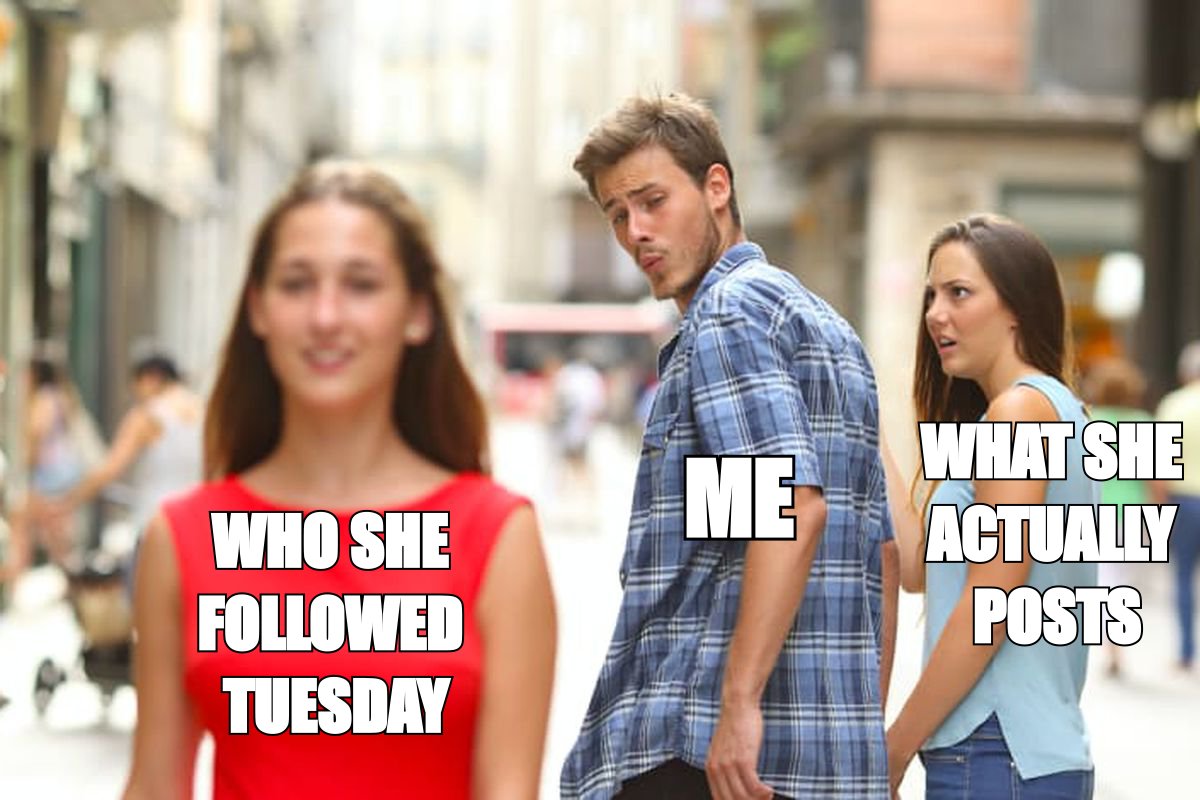
And when you do message her, the difference shows:
A new follow vs who she is
the first tells her you are watching her list for changes. The second is about something she clearly cares about
her follows are background reading for you. What she posted for people to see is the actual conversation
Where curiosity turns into checking
Wanting to know what someone is into before you talk to them is ordinary. Pew found that 53% of social media users have used it to check up on someone they used to date, rising to seven in ten of 18 to 29 year olds. In a survey of US singles, 68% said they look up their matches' social media.
Wanting to know who she followed this week, specifically, is a different itch. It usually is not about her interests. It is about whether there is someone else.
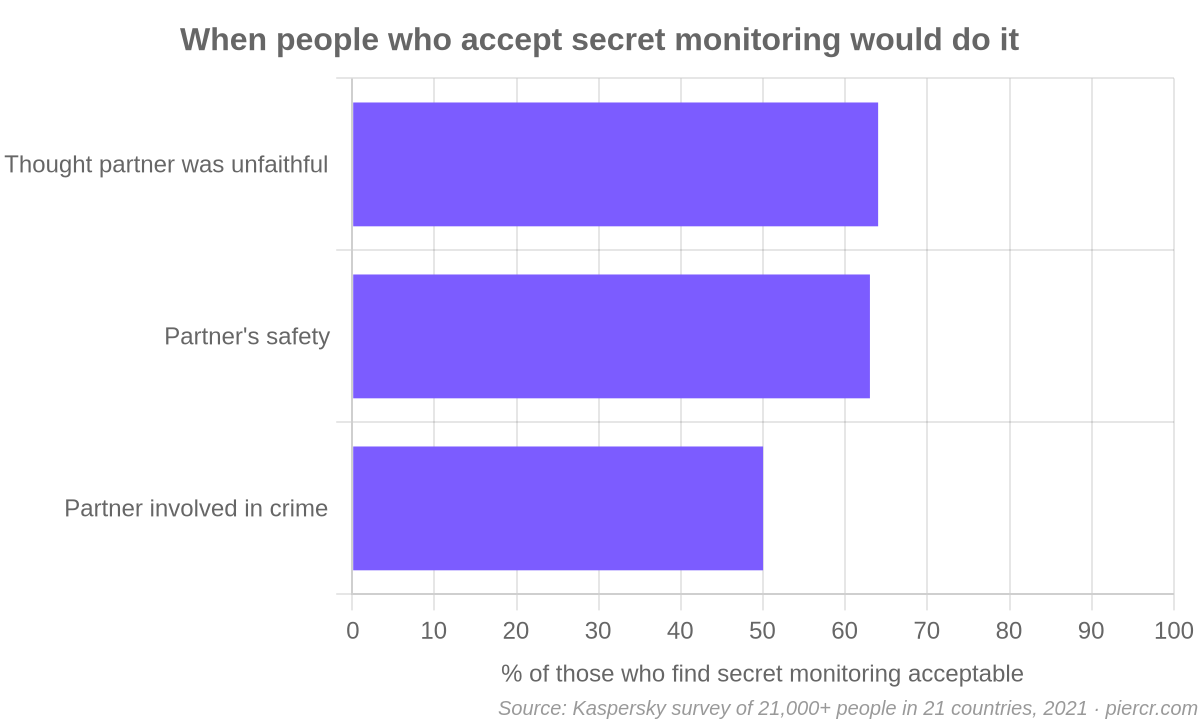
Kaspersky surveyed more than 21,000 people across 21 countries. 70% said monitoring a partner without consent is not acceptable. Of the 30% who said it sometimes was, the most common reason was suspecting the partner was being unfaithful, at 64%.
Watching someone's following list for new names is the soft version of the same impulse. If you are not dating her yet, you do not have a claim on who she follows. If you are, a new follow is a terrible way to find out what you actually want to know. If the real question is whether she is seeing someone, how to tell if a girl is single deals with it directly. If it is whether she is into you, the signs she likes you on Instagram are better evidence than anything in her Following tab.
Apps that promise to show who someone recently followed
Search the question and you will find them: "recent follow tracker", "see who anyone followed", browser extensions, paid dashboards. The honest ones take repeated snapshots of a public list and show you the difference. The rest ask you to log in with Instagram.
They also break. People who rely on them regularly find the newest follows stop showing up overnight, because the tools depend on data Instagram does not offer and lose it whenever Instagram changes something. And any tool that claims to show the follows of a private account you are not approved for is claiming something Instagram's own privacy rules do not allow.
Instagram's own help page on third-party apps is blunt. If you give them your login, they can gain complete access to your account: your messages, your friends' information, and the ability to post from your profile.
That is not a theoretical risk. In 2022 Meta said it had found more than 400 malicious Android and iOS apps built to steal logins, and 42.6% of them were dressed up as video editors. An app that promises a feature Instagram deliberately removed is a better disguise than a video editor.
No login, no password, no burner
Never give an outside app your Instagram login to see someone else's follows. And never make a second account to follow a private profile you were not approved for. Both are how curiosity ends up screenshotted.
The same logic covers the other things people go looking for. Nobody can see who views their Instagram profile, and there is no full list of what someone likes on Instagram anymore either.
Watch-outs
Missing is not meaningful
If an account you expected is not in her list, she may simply never have followed it, or unfollowed it ages ago. If her list suddenly disappears, she may have gone private. None of that is a message to you.
A few more:
- Do not mention her follows. Bringing up an account she just followed tells her you are watching her list. Talk about what she posts for people to see.
- Do not read the order. Whatever sits at the top of her list on your phone is not a confession.
- Check once, not on a schedule. A look before you message is research. A weekly comparison is a habit you will want to break.
- If she went quiet, that is a different question. Being restricted on Instagram has its own tells, and none of them are in her Following list.
Your move
Before you open her Following list
- Decide what you actually want to know. Her interests, or whether there is someone else.
- If it is one account, search her list for it and stop there.
- Ignore the order. The top of her list is not who she followed last.
- Use Shared activity if what you want is when the two of you followed each other.
- Skip any app that wants your Instagram login.
- Read the list as a whole for what she is into, then message her about that.
The short answer to how to see who someone recently followed on Instagram is that you mostly cannot, and the bit you can see is the least interesting part. If you would rather know what the whole list adds up to, Piercr turns her public profile into a short read on what she actually cares about, so your first message is about her and not about her Following tab.
FAQ: seeing who someone recently followed on Instagram
Can you see who someone recently followed on Instagram?
Not directly. Instagram removed the Following activity tab in October 2019, and the date sort on the Following list only works on your own account. You can see who she follows now, not when she followed them.
Is the Instagram following list in order of when they followed?
Your own list can be sorted by date followed. Someone else's list is shown in a default order that Instagram does not explain, and it is widely reported to vary by viewer. Treat it as unordered.
Does the top of someone's following list mean they followed them recently?
Not reliably. It is a popular belief, but Instagram has never said the default order is chronological, and the same list can show different accounts at the top on different phones.
Can you see when someone followed you on Instagram?
Yes. Open their profile, tap the menu and choose See shared activity. It shows when you followed each other, if one of you follows the other.
Does someone know if you look at their following list?
No. Opening someone's Following list does not notify them. Following, liking or commenting does, so be careful what you tap. For the same question about profile visits, nobody can see who views their profile.
Can you see a private account's following list?
Only if they have approved your follow request. On a private account, the Following list is visible to approved followers and nobody else.